How can I access all the emails that CloudBooks sent out?
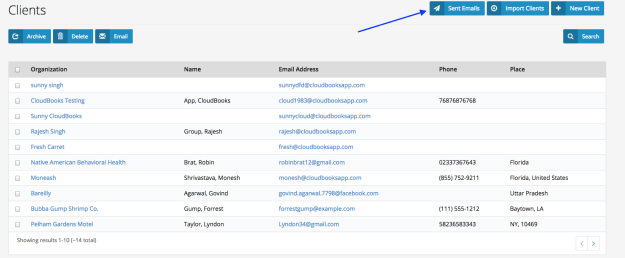
CloudBooks stores all emails that get sent out of 150 days and you can access all the emails that CloudBooks sent out. Emails older than 150 days are purged. To access your sent emails:
Go to the “Clients” tab.
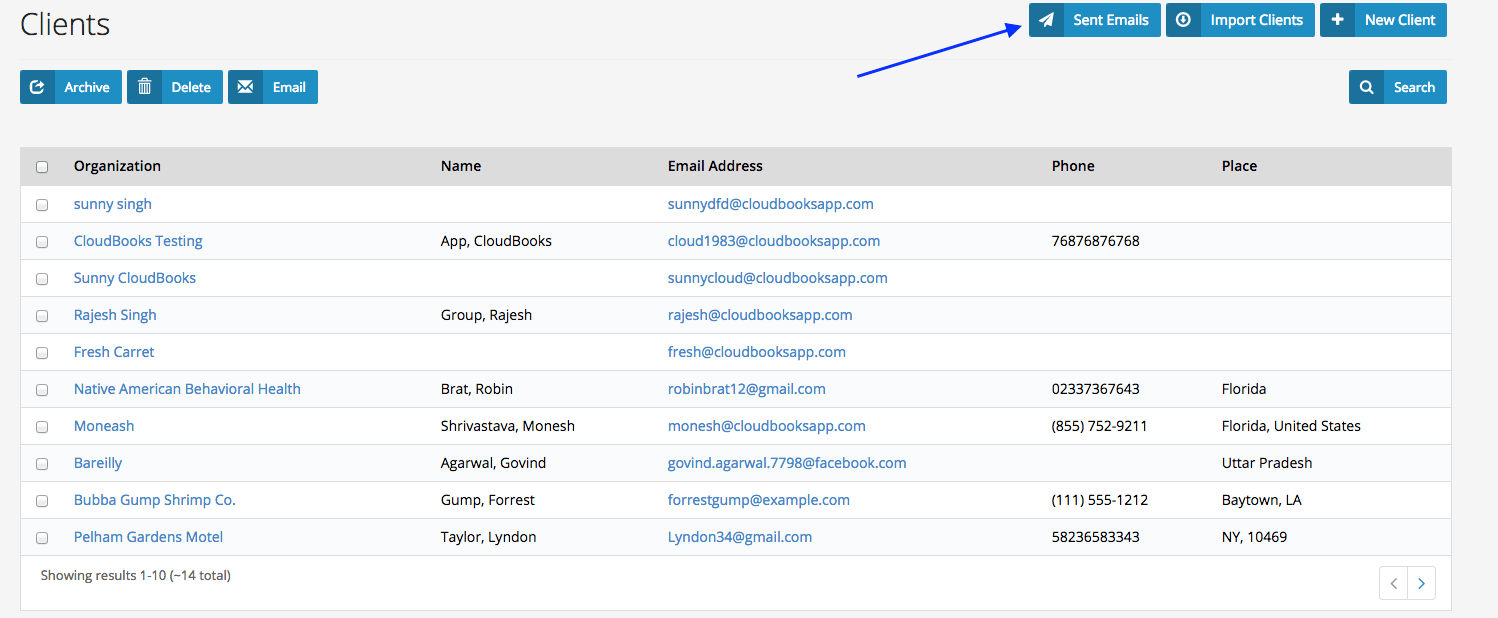
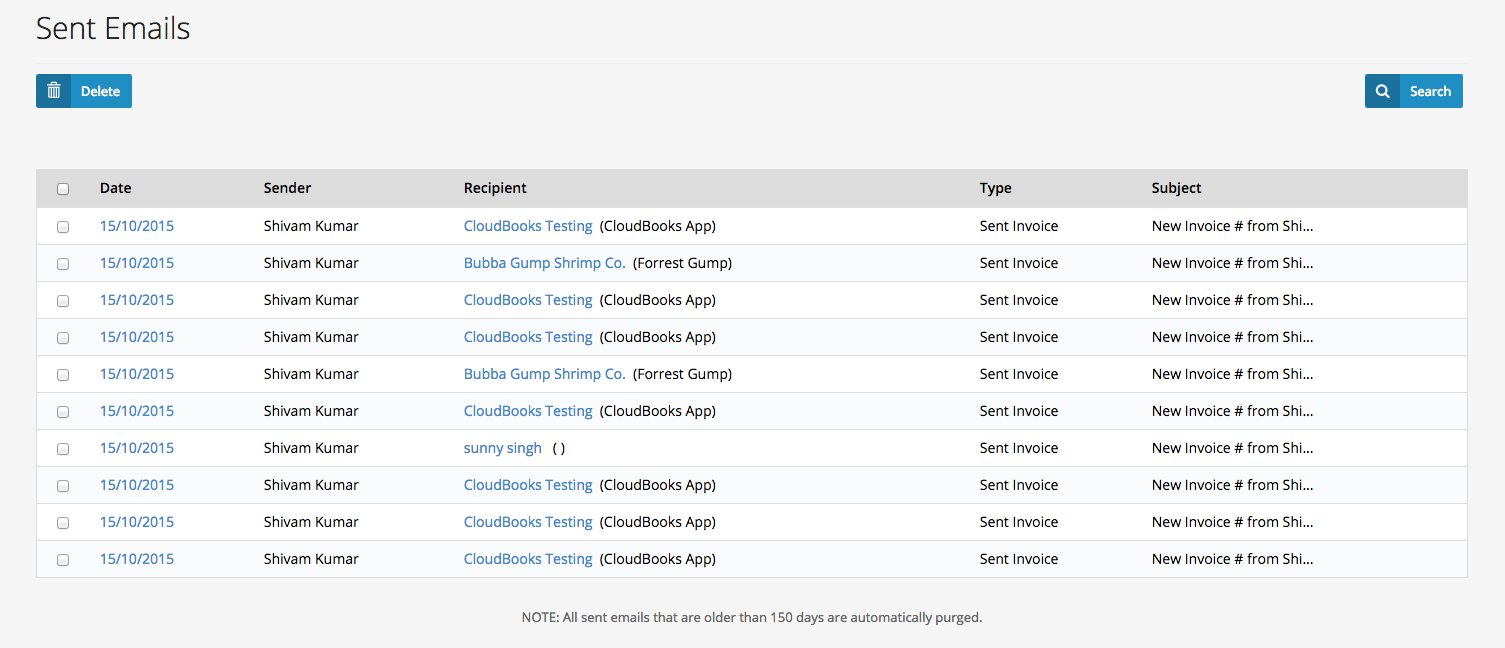
Go to the “Sent Emails” sub-tab on top right side or click on any client. You will see a list of all emails that your CloudBooks account has sent out to people
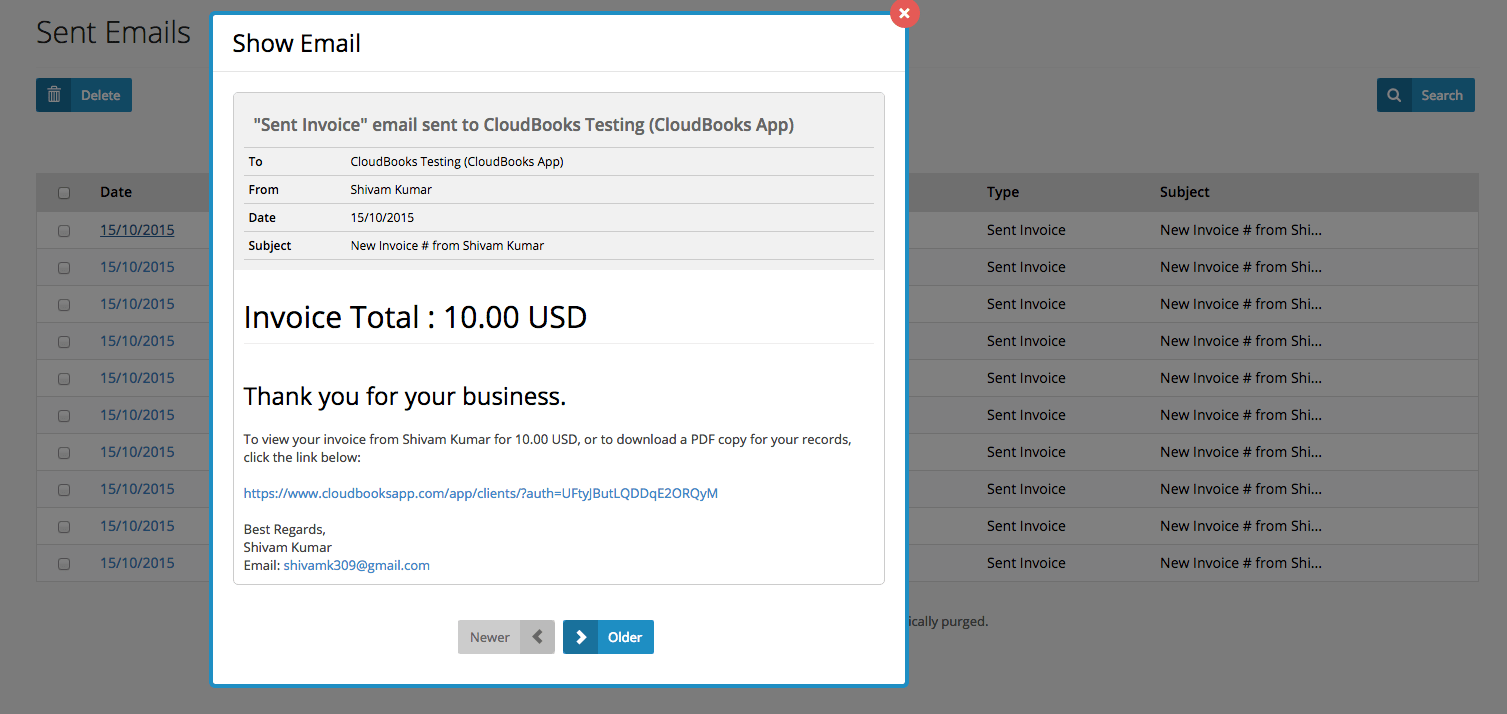
Click on the the in blue to open up and read the email.
Ready to streamline your invoicing?
Join 30,000+ businesses using CloudBooks to get paid faster.
Start Free TrialRelated Articles
Helpful Tips to Add Shipping, Discounts, And Taxes to Invoices
Adding details such as shipping, discounts, and taxes to your invoice is not just important to your ...
A Guide for Small Businesses to File Taxes
Filing business taxes is something that many small businesses find intensely challenging. While larg...
Five Ways a Time-Tracking Software Can Help Grow Your Business
Every business has a time sheet regime that they hope to adhere to. Most business are paying more th...