Best Bookkeeping Software for Small Business (2026 Comparison)
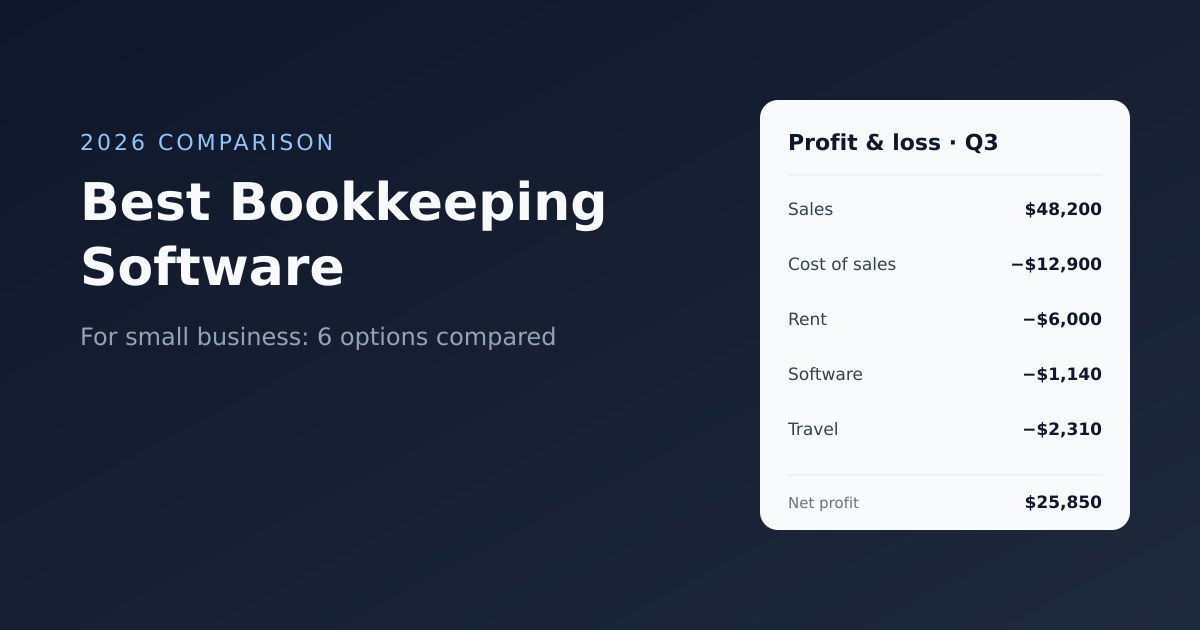
Bookkeeping software records every sale, expense and payment your business makes, matches them against your bank account, and turns them into the reports your accountant and the tax office need. The right tool turns a dreaded monthly chore into twenty minutes a week. The wrong one is either too thin to keep proper books or so complex that you stop using it by March.
This guide compares the main bookkeeping software options for small businesses in 2026, explains what each one is actually good at, and gives you a simple way to decide — including the cases where you do not need bookkeeping software at all.
What bookkeeping software does (and what it does not)
Bookkeeping is the recording side of finance: capturing transactions accurately and keeping them organised. Good bookkeeping software handles five jobs:
- Bank feeds. Imports transactions from your business bank account and cards automatically, so you are categorising rather than typing.
- Categorisation and reconciliation. Assigns each transaction to an account (sales, rent, software, travel) and confirms that your records match the bank balance.
- Sales and invoices. Records money owed to you, either by creating invoices itself or by importing them from an invoicing tool.
- Bills and expenses. Records money you owe and money you have spent, with receipts attached.
- Reports. Profit and loss, balance sheet, and sales tax or VAT summaries.
What it does not do is interpret those numbers — tax planning, year-end adjustments and filing are accounting work, usually done by an accountant. If that distinction is fuzzy, our guide to bookkeeping vs accounting explains where one ends and the other begins.
Three ways to do bookkeeping — pick your model first
Before comparing products, decide which of these describes you. It rules out half the market immediately.
| Model | Who does the work | What you need | Typical cost |
|---|---|---|---|
| DIY books | You, weekly or monthly | Full bookkeeping software with bank feeds and reconciliation | Free to about $60/month |
| Accountant does the books | Your accountant or bookkeeper, from your records | Clean invoices, expenses and receipts, plus whatever software your accountant prefers | Software $0–20/month plus the accountant's fee |
| Outsourced bookkeeping service | An online bookkeeping firm, monthly | Read-only bank access and receipts | Often $200+/month |
Many small service businesses are in the second group without realising it: the accountant already maintains the ledger at year-end, and the owner only needs a reliable way to invoice, record expenses and keep receipts. Paying for a full accounting suite on top of that is paying twice.
The best bookkeeping software for small business
Prices and plan limits change often, so the notes below focus on what each product is designed for. Check the current pricing page before you sign up.
QuickBooks Online — best if your accountant uses it
QuickBooks Online is the default choice in the United States, and most US accountants and bookkeepers know it well. It covers everything: bank feeds, reconciliation, invoicing, bills, payroll (as an add-on), inventory on higher plans and a deep set of reports.
- Strengths: accountant familiarity, very large app ecosystem, strong bank feed coverage in the US.
- Watch out for: user limits on the lower plans, and a price that climbs quickly once you add users, payroll and payments. It is more software than a sole trader typically needs.
Xero — best for growing teams and strong reconciliation
Xero is popular in the UK, Australia and New Zealand and is known for an efficient bank reconciliation screen. Its plans do not charge per user, which matters once a bookkeeper, a partner and an office manager all need access.
- Strengths: unlimited users, excellent reconciliation, large integration marketplace, widely used by accountants outside the US.
- Watch out for: the entry plan limits how many invoices and bills you can enter each month; most active businesses need the middle plan.
Wave — best free option for US and Canadian businesses
Wave offers free bookkeeping with invoicing, and makes its money on payment processing, payroll and a paid tier that automates bank imports and receipt capture.
- Strengths: genuinely usable free plan, simple interface, fine for a single owner with straightforward finances.
- Watch out for: designed mainly for the US and Canada; limited multi-currency and fewer integrations than paid tools.
Zoho Books — best value in the Zoho ecosystem and in India
Zoho Books is a full accounting product with a free plan for very small businesses (subject to revenue limits) and paid plans that remain cheaper than most competitors. It has strong GST support and localised editions for India, the Gulf and other regions.
- Strengths: low price for a complete feature set, good localisation, integrates with Zoho CRM and other Zoho apps.
- Watch out for: the interface is dense, and the best experience comes if you also use other Zoho products.
FreshBooks — best for service businesses that invoice first
FreshBooks started as invoicing software and added double-entry accounting later. It is easy to use and strong at time tracking, proposals and client billing.
- Strengths: friendly interface, good invoicing and time tracking, accountant access.
- Watch out for: lower plans cap the number of billable clients, which pushes many users to more expensive tiers.
Sage Accounting — a solid choice for UK small businesses
Sage is a long-established name in the UK with Making Tax Digital-compatible VAT returns and a large network of accountants who know it.
- Strengths: UK compliance, established support network.
- Watch out for: less polished than Xero for multi-user teams, and less relevant outside the UK.
Spreadsheets — fine for very simple businesses, for a while
A well-structured spreadsheet with one tab for income, one for expenses and a monthly summary is a legitimate bookkeeping system for a side business with a handful of transactions a month. It breaks down once you have unpaid invoices to track, sales tax to report, or more than one person entering data.
Side-by-side comparison
| Software | Best for | Bank feeds | Users | Free option |
|---|---|---|---|---|
| QuickBooks Online | US businesses with an accountant who uses it | Yes | Limited by plan | No (trial only) |
| Xero | Growing teams, UK/AU/NZ | Yes | Unlimited | No (trial only) |
| Wave | US/Canada sole owners on a budget | Yes (automatic on paid tier) | Multiple | Yes |
| Zoho Books | Value, India and GST, Zoho users | Yes | Limited by plan | Yes, for small businesses |
| FreshBooks | Service businesses that invoice clients | Yes | Paid add-on | No (trial only) |
| Sage Accounting | UK VAT-registered businesses | Yes | Limited by plan | No (trial only) |
| Spreadsheet | Side businesses, very low volume | No | Anyone with the file | Yes |
What to look for when you compare
Bank feed coverage for your bank
Automatic bank feeds are the single biggest time saver in bookkeeping. Check that your specific bank connects reliably — coverage varies a lot by country and by bank, and a feed that breaks every few weeks is worse than a monthly CSV import.
Your accountant's preference
If you already have an accountant, ask what they use. Working in the same software usually makes year-end cheaper, because they can work directly in your file instead of re-entering your numbers.
Sales tax, GST or VAT
If you are registered for sales tax, GST or VAT, the software must handle your country's rules and produce the return summary. This is where global products differ most.
How you invoice
If invoicing is the heart of your business — hourly billing, deposits, many currencies, automatic reminders — check the invoicing in the bookkeeping product carefully. Many businesses get better results from a dedicated invoicing tool and let the accountant handle the ledger. Our comparison of accounting software vs invoicing software covers this trade-off.
The price with your real setup
Price the plan you will be on in a year: the number of users, payroll if you will have employees, and payment processing fees. A $20 base plan often becomes $60 or more once those are added.
How to choose in five minutes
- You have an accountant who uses a specific product: use that product.
- You are in the US or Canada, alone, and want free: start with Wave.
- You are in the UK, Australia or New Zealand, or you need several users: Xero.
- You are in India or already use Zoho: Zoho Books.
- You are a US business that wants the most common option: QuickBooks Online.
- Your accountant does the books and you mainly invoice clients: a dedicated invoicing tool may be all the software you need.
A simple weekly bookkeeping routine
Whichever tool you choose, the habit matters more than the software. Twenty minutes a week is enough for most small businesses:
- Categorise new bank transactions. Most will match rules you have set up; handle the exceptions.
- Attach receipts. Photograph any receipts from the week and attach them to the matching transactions.
- Record new bills. Enter supplier invoices with their due dates so you know what you owe.
- Check unpaid invoices. Look at who owes you money and follow up on anything overdue.
- Reconcile monthly. At month-end, confirm the software balance matches your bank statement.
Our small business bookkeeping guide for beginners walks through setting up categories, choosing cash or accrual accounting, and the mistakes to avoid.
Where CloudBooks fits
CloudBooks is not full bookkeeping software: it has no bank feeds, bank reconciliation or general ledger. It covers the part of bookkeeping that creates most of the records — what you bill and what you spend — for businesses whose accountant handles the ledger:
- Invoices, estimates, deposits, partial payments, credit notes and refunds, with online payments through 13 gateways in 160+ currencies.
- Expenses with AI receipt scanning, vendor bills with due dates, purchase orders and recurring expenses.
- Reports your accountant can work from: profit and loss, AR and AP aging, sales tax and input tax summaries, revenue by client and spend by category, all exportable to CSV.
If that describes your setup, CloudBooks costs $9 a month for one user. If you want to do your own books end to end, choose one of the bookkeeping products above. For a broader comparison including invoicing-first tools, see our cloud accounting software comparison.
Frequently asked questions
What is the easiest bookkeeping software for a small business?
For a single owner with simple finances, Wave and FreshBooks are generally considered the easiest to learn. Xero is easy once set up and scales better as you add people. "Easiest" also depends on your accountant: the software they already know is usually the least work overall.
Is there free bookkeeping software?
Yes. Wave is free for bookkeeping and invoicing in the US and Canada, and Zoho Books has a free plan for very small businesses. Free tools usually make their money from payment processing or paid add-ons, so check those fees.
Do I need bookkeeping software if I have an accountant?
Not always. If your accountant maintains your books, you may only need clean records of invoices, expenses and receipts. Ask your accountant what format saves them the most time — that is often what keeps your accounting bill down.
What is the difference between bookkeeping software and accounting software?
In practice they are the same products. "Bookkeeping software" emphasises recording and reconciling transactions; "accounting software" emphasises reports and the general ledger. QuickBooks, Xero and the others do both.
Can I switch bookkeeping software later?
Yes, but it is easiest at the start of a financial year. Most products import opening balances, contacts and open invoices; historical transactions often stay in the old system for reference.
Ready to streamline your invoicing?
Join 30,000+ businesses using CloudBooks to get paid faster.
Start Free TrialRelated Articles
Payment Reminder Email Templates: 7 Examples From Polite to Final Notice
Most late invoices are not unpaid because the client refuses to pay. They are unpaid because the inv...
Proforma Invoice: What It Is, When to Use One, and a Template
A proforma invoice is a preliminary bill sent to a buyer before goods are delivered or work is done....
How to Set Up an Invoice Management System for Your Small Business
Most small businesses do not decide to have an invoicing process. They send a first invoice from a W...