Best Cloud Accounting Software for Small Businesses in 2026
Your accountant just asked for last quarter's profit-and-loss statement. You open a desktop spreadsheet you last updated in February, spend an hour trying to reconcile bank statements, realise two expense categories are wrong, and email back a number you are only 80% confident in.
Cloud accounting software exists to make this scenario disappear. Instead of files on one computer that only one person can access, everything lives online — your invoices, expenses, bank feeds, and reports update in real time and are accessible from any device. Your accountant logs in from their office, you check cash flow from your phone, and the numbers are always current.
But "cloud accounting software" is a broad category that includes everything from full-featured platforms built for mid-size companies to lightweight tools built for solo freelancers. Choosing the wrong one means paying for features you will never use or missing features you desperately need. This guide breaks down what actually matters and which tools fit which businesses.
What cloud accounting software does (and does not do)
At its core, cloud accounting software handles three things:
- Recording financial transactions — income, expenses, transfers, and adjustments, organised in a chart of accounts using double-entry bookkeeping.
- Connecting to your bank — pulling in transactions automatically so you reconcile rather than manually enter.
- Generating financial reports — profit and loss, balance sheet, cash flow statement, aged receivables, and tax summaries.
Beyond these basics, most platforms also include invoicing, bill payment, and some degree of expense tracking. The differences between platforms come down to depth (how sophisticated the accounting engine is), breadth (what else is included — payroll, inventory, project management), and price.
What cloud accounting software typically does not do well is the day-to-day billing workflow for service businesses. If your primary need is sending invoices, tracking billable hours, and collecting payments from clients, you may be better served by dedicated invoicing software than by an accounting platform. More on that distinction below.
The best cloud accounting platforms compared
QuickBooks Online
QuickBooks is the dominant player in small business accounting, especially in the US. The cloud version (QuickBooks Online) offers bank feeds, invoicing, expense tracking, reporting, and optional payroll and time tracking.
Strengths: Massive ecosystem of integrations, most accountants and bookkeepers are familiar with it, strong reporting for US tax requirements, payroll add-on is well-integrated.
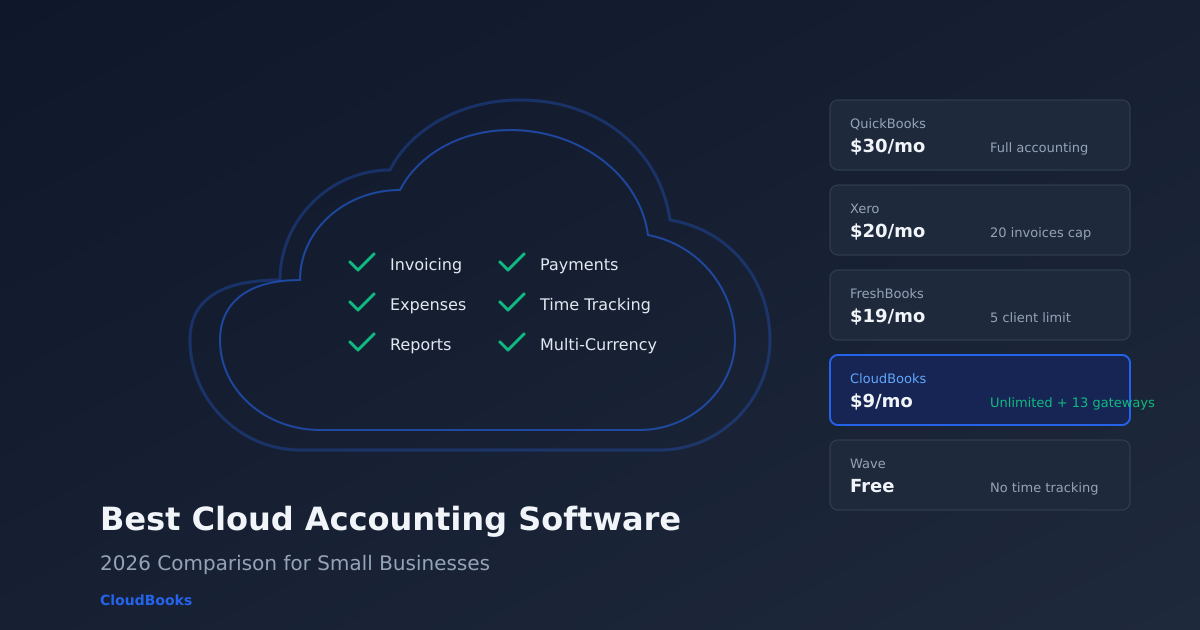
Weaknesses: Expensive — Simple Start is $30/month for one user and does not include time tracking. The Plus plan with time tracking is $115/month. The interface has grown complex over the years. International payment support is limited to QuickBooks Payments (US-centric).
Best for: US-based businesses that need full accounting with payroll, or businesses whose accountants specifically require QuickBooks access.
Xero
Xero is QuickBooks' main competitor globally, particularly strong in the UK, Australia, and New Zealand. It includes unlimited users on every plan (a significant advantage over QuickBooks), bank reconciliation, invoicing, purchase orders, and a growing app marketplace.
Strengths: Unlimited users at no extra cost, clean interface, strong multi-currency support on higher plans, excellent ecosystem of third-party apps.
Weaknesses: The Starter plan caps invoices at 20 per month — a deal-breaker for businesses that invoice frequently. Time tracking requires the Projects add-on at extra cost. Bank feed quality varies by region.
Best for: Businesses outside the US that need full accounting with multi-user access, especially teams where the accountant, bookkeeper, and business owner all need concurrent access.
Wave
Wave is the go-to free option. It offers accounting (chart of accounts, bank connections, financial reports) and invoicing at no cost. Revenue comes from payment processing fees (2.9% + $0.60 per transaction) and optional payroll.
Strengths: Free for accounting and invoicing. Genuinely usable — not a stripped-down trial. Good enough for businesses with simple accounting needs.
Weaknesses: No time tracking at all. No project management. No multi-currency. Limited integrations. Payment processing fees are higher than average. Support is limited on the free plan.
Best for: Very small businesses or side projects with simple, single-currency accounting needs and minimal invoicing volume.
FreshBooks
FreshBooks started as invoicing software and has grown into a light accounting platform. It includes double-entry accounting, bank reconciliation, invoicing, time tracking, and expense management.
Strengths: Excellent invoicing interface, built-in time tracking, strong for service businesses. More approachable than QuickBooks or Xero for non-accountants.
Weaknesses: The Lite plan caps clients at 5 — not invoices, clients. Accounting depth is limited compared to QuickBooks and Xero. Fewer payment gateways. $19/month starting price for limited functionality.
Best for: Service businesses that want accounting features but prioritise the invoicing and time tracking workflow.
Zoho Books
Zoho Books is part of the Zoho ecosystem and offers full accounting with invoicing, bank feeds, inventory, project tracking, and multi-currency. The free plan supports up to 1,000 invoices per year.
Strengths: Generous free tier, strong automation workflows, good inventory management, integrates with the broader Zoho suite (CRM, Projects, Expense).
Weaknesses: The interface is functional but dense. Support outside the Zoho ecosystem is limited. The learning curve is steeper than FreshBooks or Wave.
Best for: Businesses already using Zoho products, or those that need inventory management alongside invoicing.
CloudBooks
CloudBooks takes a different approach. Instead of being accounting software that also invoices, it is invoicing and billing software built for the day-to-day workflow of service businesses — freelancers, consultants, agencies, and contractors who need to send invoices, track time, manage expenses, and get paid.
Strengths: Unlimited invoices on every plan starting at $9/month. Built-in time tracking with one-click timer-to-invoice conversion. 13 payment gateways covering North America, Europe, India, Africa, the Middle East, Latin America, and Southeast Asia. 160+ currencies. Expense tracking with receipt scanning.
Weaknesses: Not a full accounting platform — no chart of accounts, general ledger, or bank reconciliation. If you need audited financial statements, you need a dedicated accounting tool.
Best for: Freelancers and small service businesses that need excellent invoicing, time tracking, and payment collection without the complexity and cost of full accounting software.
Quick comparison table
| Platform | Starting price | Invoices | Time tracking | Payment gateways | Users |
|---|---|---|---|---|---|
| QuickBooks Online | $30/mo | Unlimited | Plus plan ($115/mo) | QuickBooks Payments | 1 (add $10/user) |
| Xero | $20/mo | 20 on Starter | Projects add-on | Stripe, GoCardless | Unlimited |
| Wave | Free | Unlimited | None | Stripe (2.9% + $0.60) | Unlimited |
| FreshBooks | $19/mo | 5 clients on Lite | Built in | Stripe, PayPal | 1 (add $11/user) |
| Zoho Books | Free (limited) | 1,000/year free | Built in | Multiple | Varies by plan |
| CloudBooks | $9/mo | Unlimited | Built in, all plans | 13 gateways | Varies by plan |
Do you actually need accounting software?
This is the question most comparison guides skip. The assumption is that every business needs accounting software. That is not true.
You need accounting software if:
- You sell physical products and track inventory and cost of goods sold
- You run payroll for employees
- You need to produce balance sheets for investors, lenders, or a board
- Your accountant requires direct access to your books in QuickBooks or Xero
- You have multiple bank accounts requiring daily reconciliation
You need invoicing software if:
- You sell services and bill clients by the hour, by the project, or on retainer
- Your primary financial activities are sending invoices, tracking expenses, and collecting payments
- You want built-in time tracking that connects to your invoices
- You have international clients who need local payment methods
- You hand off financial reports to an accountant at tax time rather than maintaining books yourself
Most solo freelancers and small service businesses fall into the second category. They are paying $30-115/month for accounting software when a $9/month invoicing tool covers everything they actually use — and does the billing workflow better.
For a deeper dive into this decision, read our guide on accounting software vs invoicing software.
How to evaluate cloud accounting software
If you have decided you do need accounting software, here are the questions that actually matter during evaluation:
1. Does your accountant have a preference?
If your accountant or bookkeeper works primarily in QuickBooks, switching to Xero creates friction for everyone. Ask them before choosing. If they work with multiple platforms, you have more flexibility.
2. How many people need access?
QuickBooks charges per user. Xero includes unlimited users. If your business owner, bookkeeper, accountant, and office manager all need access, the per-user cost adds up fast.
3. Do you need inventory management?
If you sell physical products, inventory tracking in your accounting software means cost-of-goods-sold calculations are automatic. QuickBooks, Xero (on higher plans), and Zoho Books handle this. Invoicing-only tools do not.
4. What payment methods do your clients use?
If all your clients pay by credit card or bank transfer in one country, any platform works. If you have clients across multiple countries using local payment methods (UPI in India, iDEAL in the Netherlands, Paystack in Nigeria), you need a tool with broad gateway support.
5. What is the true annual cost?
Add up the base plan, per-user fees, add-on costs (payroll, time tracking, projects), and payment processing fees. A $20/month base can easily become $60-80/month with add-ons. Compare that total to what simpler tools cost for the same functionality.
The bottom line
Cloud accounting software is a genuine improvement over desktop tools and spreadsheets — real-time data, automatic bank feeds, and anywhere access are not optional in 2026. But "cloud accounting" is not one thing. It ranges from free tools with basic bookkeeping to enterprise platforms with payroll and inventory.
Match the tool to your actual needs. If you are a service business that primarily sends invoices, tracks time, and collects payments, CloudBooks gives you that workflow at $9/month without the overhead of full accounting software. If you genuinely need double-entry bookkeeping, bank reconciliation, and financial statements, QuickBooks and Xero are the proven choices — just be prepared for the price and complexity that come with them.
Start with what you need today, not what you might need in three years. You can always upgrade later. You cannot get back the hours spent learning a tool that was too much for your business.
Ready to streamline your invoicing?
Join 30,000+ businesses using CloudBooks to get paid faster.
Start Free TrialRelated Articles
HoneyBook Alternative: Why Freelancers Are Switching to CloudBooks
HoneyBook is popular with event planners, photographers, and creative professionals who need proposa...
Small Business Bookkeeping: A Complete Beginner's Guide for 2026
You started a business to do work you are good at — design, consulting, development, photography. No...
How to Choose the Right Accounting Software for Your Small Business
You Google "best accounting software for small business" and get fifteen listicles that all recommen...