Payment Reminder Email Templates: 7 Examples From Polite to Final Notice
Most late invoices are not unpaid because the client refuses to pay. They are unpaid because the invoice went to the wrong inbox, the person who approves payments is on holiday, or it simply slipped down the list. A clear, well-timed reminder fixes most of those cases without any awkwardness at all.
Below are seven payment reminder email templates, from a friendly heads-up to a final notice, plus the timing that works, what every reminder must include, and the mistakes that make clients pay even later. Copy them, change the details in brackets, and use them.
What every payment reminder needs
Whatever the tone, a reminder that gets paid quickly contains the same six things:
- The invoice number in the subject line, so it can be found and matched.
- The amount due — the outstanding balance, not the original total if part has been paid.
- The due date, and how many days overdue it is if it has passed.
- A way to pay in one click — a payment link beats bank details every time.
- The invoice itself, attached or linked, so nobody has to search for it.
- A clear next step: what you are asking for and by when.
Keep it short. A reminder is not the place to explain the work again or apologise for asking.
When to send payment reminders
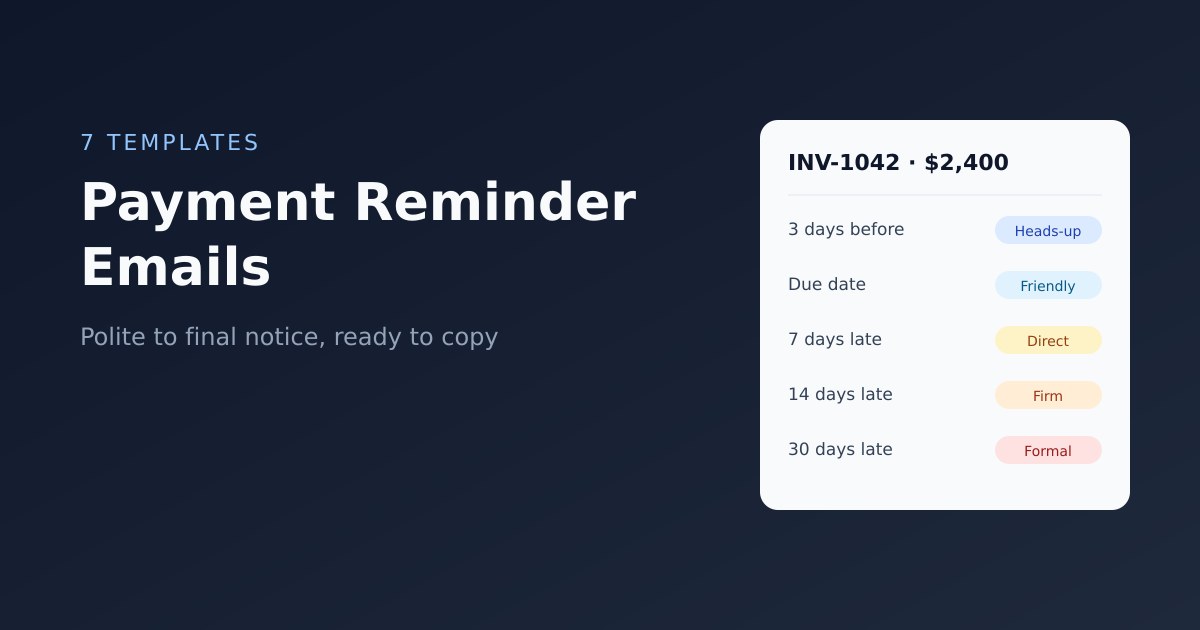
| When | Tone | Template |
|---|---|---|
| 3 days before the due date (optional) | Friendly heads-up | 1 |
| On the due date | Friendly | 2 |
| 7 days overdue | Polite, direct | 3 |
| 14 days overdue | Firm | 4 |
| 30 days overdue | Formal, with consequences | 5 |
| 45–60 days overdue | Final notice | 6 |
| Any time a partial payment arrives | Neutral | 7 |
The pre-due reminder is optional. It helps with large corporate clients whose payment runs need advance notice; with small clients it can feel pushy. The overdue sequence is the part that matters.
The templates
1. Before the due date: friendly heads-up
Subject: Invoice [INV-1042] due on [31 March]
Hi [Name],
Just a quick note that invoice [INV-1042] for [$2,400] is due on [31 March]. You can view and pay it here: [payment link].
If it needs to go to someone else in your team for approval, let me know and I'll send it straight to them.
Thanks,
[Your name]
Why it works: the offer to redirect it surfaces the most common hidden problem — the invoice is sitting with someone who cannot approve it.
2. On the due date: friendly reminder
Subject: Invoice [INV-1042] is due today
Hi [Name],
A friendly reminder that invoice [INV-1042] for [$2,400] is due today. You can pay online in a couple of minutes here: [payment link].
I've attached a copy of the invoice for reference. If you've already sent payment, thank you — please ignore this email.
Best,
[Your name]
3. 7 days overdue: polite and direct
Subject: Overdue: invoice [INV-1042] — [$2,400]
Hi [Name],
Invoice [INV-1042] for [$2,400] was due on [31 March] and is now 7 days overdue. Could you let me know when I can expect payment?
You can pay online here: [payment link]. If there's an issue with the invoice, just reply and I'll sort it out.
Thanks,
[Your name]
Why it works: asking when rather than whether invites a concrete date, and the offer to fix problems flushes out disputes early.
4. 14 days overdue: firm
Subject: Second notice: invoice [INV-1042] is 14 days overdue
Hi [Name],
I haven't yet received payment for invoice [INV-1042] ([$2,400]), which was due on [31 March]. I've copied [accounts payable contact] in case it's waiting with them.
Please arrange payment by [date, 5 working days from now] using this link: [payment link]. If something is holding it up, I'd appreciate a quick reply so we can resolve it.
Regards,
[Your name]
At this stage, also pick up the phone. A two-minute call to whoever approves payments often achieves more than three emails.
5. 30 days overdue: formal, with consequences
Subject: Payment required: invoice [INV-1042] 30 days overdue
Dear [Name],
Invoice [INV-1042] for [$2,400], due on [31 March], remains unpaid despite our reminders on [dates].
As set out in our payment terms, a late fee of [1.5% / $50] has now been added, bringing the balance to [$2,436]. Please pay the full balance by [date] using this link: [payment link].
Until the account is brought up to date, we will need to pause further work on [project].
Regards,
[Your name]
[Business name]
Only mention a late fee if it was in your terms before the work started. See our guide to Net 30 and other payment terms for how to set this up properly.
6. 45–60 days overdue: final notice
Subject: Final notice: invoice [INV-1042]
Dear [Name],
This is a final notice regarding invoice [INV-1042], which is now [52] days overdue with an outstanding balance of [$2,436].
If we do not receive payment or hear from you by [date, 7 days from now], we will refer the debt to [a collections agency / the small claims court]. We would much prefer to resolve this directly, and we are open to agreeing a payment plan if that would help.
Pay online: [payment link]
Regards,
[Your name]
[Business name]
Why it works: a specific consequence and date, combined with a way out (a payment plan), gives the client a reason and a route to act now.
7. After a partial payment
Subject: Thank you — remaining balance on invoice [INV-1042]
Hi [Name],
Thank you for your payment of [$1,200] towards invoice [INV-1042]. The remaining balance is [$1,200], due on [date].
You can pay the balance here: [payment link].
Thanks again,
[Your name]
Subject lines that get opened
- Invoice [number] due on [date]
- Invoice [number] is due today
- Overdue: invoice [number] — [amount]
- Second notice: invoice [number] is [X] days overdue
- Final notice: invoice [number]
Always include the invoice number. Accounts teams search their inbox by number, and a vague subject like "Quick follow-up" gets lost.
Mistakes that make clients pay later
- Waiting too long to send the first reminder. A reminder on the due date is normal business practice, not rude. Every week you wait signals the payment is not a priority.
- Sending reminders to the wrong person. Your project contact may love your work and have no authority to pay. Ask who handles invoices when you start working together.
- Making payment hard. If paying means finding your bank details and logging in to online banking, many clients will put it off. Include a payment link in every reminder.
- Being vague. "Just checking in on that invoice" invites "will look into it". State the amount, the date, and what you want.
- Getting emotional. Stay factual even when you are frustrated. Your emails may be read by people who were not part of the project.
- Inconsistency. If you chase some clients and not others, the ones you do not chase learn that your due dates are optional.
Prevent the need for reminders
The best reminder is the one you never need to send. Most late payments trace back to how the job was set up:
- Agree payment terms in writing before work starts, and print the actual due date on every invoice.
- Ask for a deposit on new clients and large projects.
- Invoice the same day the work is done — the longer you wait, the later you are paid.
- Get the name and email of the person who approves payments, not just your day-to-day contact.
- Offer the payment methods your clients use: card, PayPal, bank transfer, or local methods such as UPI, iDEAL or mobile money.
Our guide to avoiding unpaid invoices goes deeper on prevention and on handling clients who pay late repeatedly.
Automating payment reminders
Writing reminders by hand works for a handful of clients. Beyond that, the problem is not the wording — it is remembering to send them at all. Invoicing software solves this by sending reminders automatically on a schedule.
In CloudBooks, you switch on automatic reminders once in Settings and choose the schedule. By default, a reminder goes out 1, 7 and 14 days after the due date — up to three per invoice — each with the invoice number, amount, due date and a link to view and pay online. Replies come straight to your email. Reminders stop as soon as the invoice is paid, and if your terms include a late fee, CloudBooks can add it automatically after the number of days you set.
The automatic reminders handle the routine nudges. For the firmer stages — templates 5 and 6 above — a personal email or a phone call from you carries more weight, and you can send the client an account statement showing everything they owe. The AR aging report shows which invoices have reached which stage. See invoicing software for small business for how it fits together.
Frequently asked questions
How do you politely ask for payment?
Be brief and specific: state the invoice number, amount and due date, include a payment link, and ask when you can expect payment. A polite reminder is factual, not apologetic.
How soon should I send a reminder for an unpaid invoice?
Send the first reminder on the due date or the day after. Follow up at 7 and 14 days overdue, then escalate at 30 days.
How many payment reminders should I send?
Typically three to four emails over 30 days, with a phone call around the second or third. After that, send a formal final notice before considering collections.
Should I add a late fee to a reminder?
Only if the late fee was part of your payment terms before the work began, and within the limits of local law. Mention it in the 30-day reminder rather than the first one.
What if the client disputes the invoice?
Hold off on further reminders, talk to the client to understand the issue, and resolve it before you chase payment again. If you agree to change the amount, issue a credit note rather than editing the original invoice.
Ready to streamline your invoicing?
Join 30,000+ businesses using CloudBooks to get paid faster.
Start Free TrialRelated Articles
How to Choose the Right Accounting Software for Your Small Business
You Google "best accounting software for small business" and get fifteen listicles that all recommen...
How to Create and Send Professional Invoices Online (Step-by-Step Guide)
You finished the project. The client is happy. Now you need to get paid. But instead of sending an i...
How to Track Billable Hours and Invoice Clients Faster
You finish a three-hour design session for a client. You meant to start the timer, but you forgot. N...