Credit Note vs Debit Note: Meaning, Examples and When to Issue Each
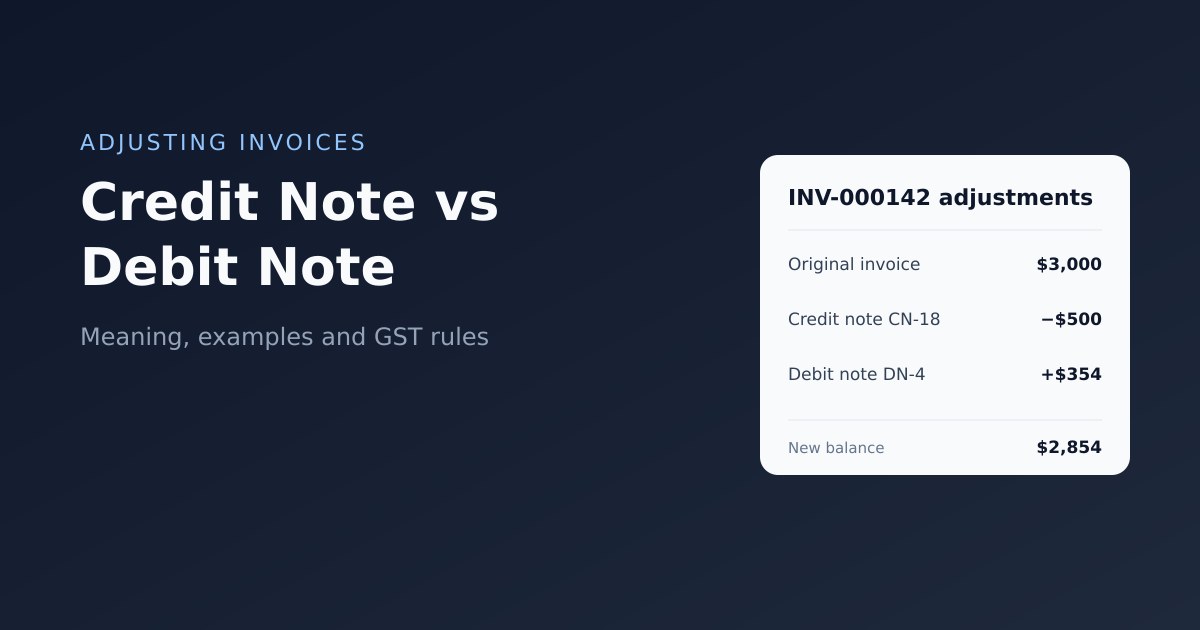
Invoices go wrong. A client returns half an order, a price was entered incorrectly, a discount was forgotten, or extra work was done that was never billed. You cannot simply edit or delete an invoice that has already been sent — it is part of your tax records. Instead, you adjust it with a credit note or a debit note.
A credit note reduces the amount a customer owes. A debit note increases it — or, in some industries, is the buyer's request for a credit. This guide explains both, with examples, the details each must include, and how they are treated for GST and VAT.
Credit note vs debit note at a glance
| Credit note | Debit note | |
|---|---|---|
| Effect on amount owed | Reduces it | Increases it (seller-issued) or requests a reduction (buyer-issued) |
| Usually issued by | Seller | Seller in GST systems; often the buyer in trade |
| Common reasons | Returns, overcharges, discounts after invoicing, cancelled services, faulty goods | Undercharges, additional goods or work, price increases agreed after invoicing |
| Seller's books | Reduces sales and accounts receivable | Increases sales and accounts receivable |
| Buyer's books | Reduces purchases and accounts payable | Increases purchases and accounts payable |
| Tax effect | Reduces the output tax on the original supply | Increases the output tax on the original supply |
What is a credit note?
A credit note (also called a credit memo) is a document the seller issues to cancel all or part of an invoice. It shows a negative amount that offsets the original invoice.
Common reasons to issue one:
- Returned goods. The customer sends back 10 of the 100 items they bought.
- Overcharging. You billed 12 hours when 10 were agreed, or used the wrong rate.
- Post-sale discount. You agreed a discount after the invoice was sent — for example as goodwill for a delay.
- Cancelled work. Part of a project was cancelled after you invoiced for it in advance.
- Tax errors. You charged the wrong rate of tax.
- Full cancellation. The whole invoice was wrong and needs to be reversed before a correct one is issued.
Credit note example
You invoiced a client $3,000 for 30 hours of consulting (INV-000142). The client points out that only 25 hours were agreed. You issue a credit note for 5 hours:
CREDIT NOTE CN-000018
Date: 23 November 2026
Original invoice: INV-000142 dated 2 November 2026
Reason: Hours billed in excess of agreed scopeConsulting services — 5 hours × $100 = $500.00
Total credit: $500.00Balance on INV-000142 after this credit: $2,500.00
What happens to the credit depends on the situation. If the invoice is unpaid, the credit reduces what the client owes. If it was already paid, you can refund the client or keep the credit on their account to apply against the next invoice.
What is a debit note?
"Debit note" is used in two different ways, and it is worth knowing both.
1. Seller-issued debit note: increasing an invoice
In GST and some VAT systems, a supplier issues a debit note when the taxable value or tax on an invoice turns out to be too low — for example, you undercharged, or extra quantity was supplied. The debit note adds the difference and the tax on it.
2. Buyer-issued debit note: requesting a credit
In wholesale and manufacturing, a buyer often issues a debit note to the supplier when returning goods or claiming an overcharge. It records in the buyer's books that the supplier now owes them, and asks the supplier to issue a matching credit note.
Debit note example (seller-issued)
DEBIT NOTE DN-000004
Date: 23 November 2026
Original invoice: INV-000150 dated 10 November 2026
Reason: Additional 20 units suppliedProduct A — 20 units × $15.00 = $300.00
Tax at 18% = $54.00
Total: $354.00
Many small businesses outside GST systems simply issue a new invoice for additional charges instead of a debit note. That is usually fine, as long as the new invoice references the original.
What to include on a credit or debit note
- The title "Credit Note" or "Debit Note"
- A unique number from its own sequence (for example CN-000018, DN-000004)
- Date of issue
- Your business details and tax registration number
- Customer details and tax registration number where required
- The original invoice number and date
- The reason for the adjustment
- Line items, quantities and values being adjusted
- Tax rate and tax amount on the adjustment
- Total amount credited or debited
Credit and debit notes under GST and VAT
India (GST)
Under Section 34 of the CGST Act, a supplier issues a credit note when the taxable value or tax charged was too high, goods are returned, or services are found deficient, and a debit note when the taxable value or tax was too low. Both must be reported in your GST returns. A credit note must be declared no later than 30 November following the end of the financial year in which the original supply was made, or the date you file the annual return, whichever is earlier — after that, you cannot reduce your tax liability with it.
United Kingdom and EU (VAT)
A VAT credit note must reference the original invoice and show the VAT adjustment. Both seller and buyer adjust their VAT records — the seller reduces output tax, the buyer reduces the input tax they claimed.
United States (sales tax)
There is no federal VAT, but if you charged sales tax on the original invoice, a credit memo should reduce the tax as well, and the adjustment should flow through to your sales tax return.
Credit note vs refund vs void
- Void: cancels an invoice that should never have existed — a duplicate, or one sent to the wrong client — usually before any payment. The invoice and its number stay in your records, marked void.
- Credit note: reduces or cancels an invoice that was valid when issued. The credit can reduce the balance, be applied to a future invoice, or be refunded.
- Refund: returns money that was already paid. It often follows a credit note.
Never delete an invoice that has been sent. Gaps in your invoice numbers raise questions in a tax audit — see our guide to invoice numbering.
Credit notes in CloudBooks
CloudBooks includes credit notes on every plan. You can issue a credit note against a specific invoice or as a standalone credit for a client, with its own number sequence (CN- by default). The credit can be applied to the client's open invoices or refunded, and CloudBooks tracks how much of each credit has been used and how much remains. You can also void an invoice issued in error or write off a balance as bad debt — the original number is always preserved.
CloudBooks does not have a separate debit note document; to bill additional charges, issue a new invoice that references the original. See invoicing software for small business for the full workflow.
Frequently asked questions
Who issues a credit note?
The seller issues a credit note to the buyer to reduce the amount owed on an invoice.
Is a credit note the same as a refund?
No. A credit note reduces what the customer owes. A refund returns money already paid. A credit note can lead to a refund, or the credit can be kept and applied to future invoices.
Can I just edit the original invoice instead?
Not once it has been sent. The client may already have recorded it, and your tax records must match what was issued. Use a credit note or debit note to make the change.
Does a credit note need its own number?
Yes. Credit notes should have their own sequential number series, separate from invoices.
What is the difference between a credit memo and a credit note?
None. "Credit memo" is more common in the United States; "credit note" in the UK, India, Australia and elsewhere.
Ready to streamline your invoicing?
Join 30,000+ businesses using CloudBooks to get paid faster.
Start Free TrialRelated Articles
Best Bookkeeping Software for Small Business (2026 Comparison)
Bookkeeping software records every sale, expense and payment your business makes, matches them again...
Net 30 Payment Terms: What They Mean and How to Use Them
Net 30 means the full amount of an invoice is due 30 days after the invoice date. If you invoice on ...
Payment Reminder Email Templates: 7 Examples From Polite to Final Notice
Most late invoices are not unpaid because the client refuses to pay. They are unpaid because the inv...