Business Expense Tracking Software: The Complete Guide for 2026
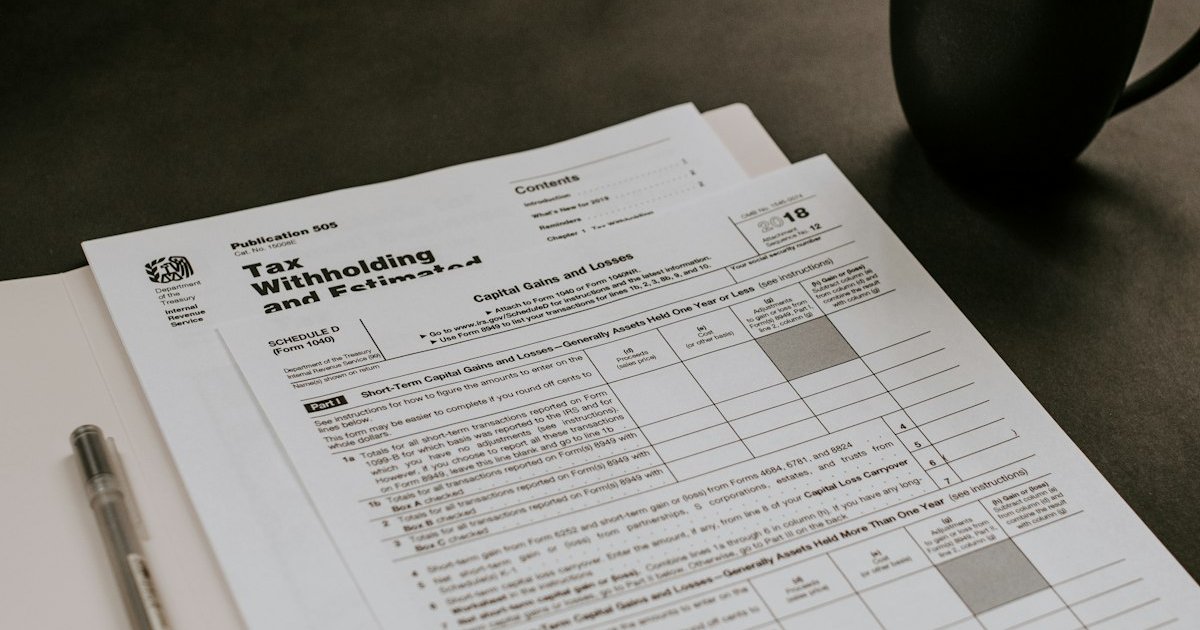
You swiped your card for a client lunch, paid for a coworking day pass, renewed three software subscriptions, and bought a USB-C hub at the airport. That was Tuesday. By Friday, you remember two of the four expenses. By tax time, you have lost hundreds of dollars in legitimate deductions because you never recorded them.
Business expense tracking is not glamorous work. But it is the difference between claiming every deduction you are entitled to and leaving money on the table — and between knowing your actual profit margin and guessing at it. The right business expense tracking software makes this automatic instead of aspirational.
This guide covers what expense tracking involves, why spreadsheets stop working, what to look for in business expense software, and how the major tools compare for freelancers and small businesses in 2026.
What business expense tracking actually involves
At its simplest, expense tracking means recording every business purchase with enough detail to satisfy two audiences: you (for budgeting and profit analysis) and the tax authority (for deduction claims).
Each expense needs five pieces of information:
- Date — when the expense occurred.
- Amount — how much you paid, in which currency.
- Vendor/payee — who you paid.
- Category — what type of expense it is (software, travel, meals, office supplies, etc.).
- Receipt or proof — a photo, PDF, or digital receipt that proves the transaction happened.
If you track those five fields for every business purchase, you have clean books. Your accountant can prepare your tax return quickly. You can run a report and see exactly where your money goes each month. And if you are ever audited, you have documentation for every claimed deduction.
The challenge is not understanding what to track — it is doing it consistently, every day, for every transaction, without it consuming your working hours.
Why spreadsheets fail at scale
Every freelancer starts with a spreadsheet. A Google Sheet with columns for date, vendor, amount, and category works fine when you have ten expenses a month. Here is where it breaks down:
- No receipt storage. A spreadsheet records numbers, not proof. You need a separate folder of receipt photos, cross-referenced to spreadsheet rows by date or amount. Within months, the folder is disorganised and receipts are missing.
- Manual categorisation is inconsistent. You type "Software" in January and "SaaS" in March for the same subscription. Your expense report now has two categories for one thing, and your tax totals are wrong.
- No connection to your invoices or income. Your expenses live in one spreadsheet, your invoices in another (or in your invoicing software). Calculating profit means manually combining two data sources — a process that invites errors every time.
- No automation. Every entry is manual. Every category is typed. Every total is a formula you have to maintain. When you have fifty or a hundred expenses per month across multiple currencies, the spreadsheet becomes a part-time job.
- No mobile capture. You get a receipt at lunch, and the spreadsheet is on your laptop. By the time you open it, the receipt is crumpled in your pocket and the details are fuzzy.
Spreadsheets are a tool for small data sets with simple structures. Business expenses are neither — they are high-volume, multi-format (receipts are images, not numbers), and need to connect to your income data for meaningful reporting. Business expense management software exists to handle exactly this.
What to look for in business expense tracking software
Not every expense tool is right for every business. Here are the features that matter most, ranked by how much time they save:
1. Receipt capture (mobile and desktop)
The single most important feature. You take a photo of a receipt with your phone, and the software extracts the date, vendor, amount, and tax — then attaches the image to the expense record. No manual entry. No lost receipts. This alone eliminates the biggest failure point in expense tracking.
2. Automatic categorisation
Good business expense software learns your categories. After you categorise an Adobe subscription as "Software" twice, it auto-categorises every future Adobe charge. Over time, most of your expenses are categorised without you touching them.
3. Integration with your invoicing or accounting tool
Expenses are half the equation — income is the other half. If your expense tracker does not talk to your invoicing software or accounting platform, you are still manually combining two data sources for profit reporting and tax preparation. The best setup is one tool that handles both, or two tools that sync automatically.
4. Tax-ready reporting
At tax time, your accountant needs expenses grouped by deductible category with totals. A good expense tool generates this report in one click — no exporting, no reformatting. Read our bookkeeping guide for more on what your accountant needs from you.
5. Multi-currency support
If you travel internationally or purchase software priced in foreign currencies, your expense tracker needs to handle conversion. Recording a €47 purchase as "$47" because you did not convert it throws off your totals and your tax return.
6. Mileage tracking
If you drive for business — client visits, job sites, conferences — mileage is a deductible expense in most countries. Some expense tools include GPS-based mileage tracking. Others let you log trips manually. Either way, having it in the same system as your other expenses means one report covers everything.
7. Policy and approval workflows (for teams)
If you have employees or contractors submitting expenses, you need approval controls: spending limits, required receipts over a threshold, manager approval before reimbursement. Solo freelancers do not need this, but growing teams do.
The three approaches to business expense management
Business expense management software falls into three categories, and the right choice depends on the size and type of your business.
Approach 1: Dedicated expense management tools
Examples: Expensify, Ramp, Brex, SAP Concur, Zoho Expense.
These are purpose-built for expense management — receipt scanning, policy enforcement, approval workflows, corporate card integration, and reimbursement processing. They are powerful, but they are designed for companies with employees submitting expense reports, not for solo freelancers tracking their own spending.
Price range: Free for basic individual use (Expensify) up to $12-20/user/month for team features.
Best for: Companies with 10+ employees who need corporate card controls, approval workflows, and reimbursement automation. Overkill for freelancers and micro-businesses.
Approach 2: Accounting software with expense features
Examples: QuickBooks, Xero, Zoho Books.
Full accounting platforms include expense tracking as part of their broader bookkeeping functionality. You categorise expenses within a chart of accounts, reconcile them against bank feeds, and they flow into your profit-and-loss statement automatically.
Price range: $20-115/month depending on the plan.
Best for: Businesses that need full double-entry accounting alongside expense management — product businesses with inventory, companies with payroll, or businesses whose accountants require QuickBooks or Xero access. See our guide to choosing accounting software for a deeper comparison.
Approach 3: Invoicing software with built-in expense tracking
Examples: CloudBooks, FreshBooks.
Invoicing-first tools that include expense management alongside invoicing, time tracking, and payment collection. Your income (invoices paid) and expenses (purchases recorded) live in the same system, so profit reporting is automatic without needing a full accounting platform.
Price range: $9-25/month.
Best for: Freelancers, consultants, and small service businesses. You track expenses alongside your invoicing workflow — the same tool where you send invoices and collect payments also records your costs. One login, one subscription, one report that shows income minus expenses.
Comparison table
| Feature | Expensify | QuickBooks | Xero | FreshBooks | CloudBooks |
|---|---|---|---|---|---|
| Starting price | Free (individual) | $30/mo | $20/mo | $19/mo | $9/mo |
| Receipt scanning | Yes (OCR) | Yes | Yes (Hubdoc) | Yes | Yes |
| Auto-categorisation | Yes | Yes (bank rules) | Yes (bank rules) | Basic | Yes |
| Bank feed integration | Yes | Yes | Yes | Yes | No |
| Mileage tracking | Yes (GPS) | Yes (mobile) | Via add-ons | Yes (mobile) | Manual entry |
| Invoicing | No | Yes | Yes | Yes | Yes — unlimited |
| Time tracking | No | Plus plan ($115/mo) | Add-on | Yes | Yes — all plans |
| Payment gateways | N/A | QB Payments | Stripe, GoCardless | Stripe, PayPal | 13 gateways |
| Multi-currency expenses | Yes | Higher plans | All plans | Plus plan | All plans (160+) |
| Approval workflows | Yes | Limited | Limited | No | No |
| Profit reporting | No (expenses only) | Yes (full P&L) | Yes (full P&L) | Yes | Yes (income vs expenses) |
Best practices for business expense tracking
Capture receipts immediately
The number one rule. When you make a purchase, photograph the receipt before you leave the counter, or forward the email receipt to your expense tool. A receipt photographed in the moment is sharp and complete. A receipt photographed next week is faded, crumpled, or gone. Most business expense management software has a mobile app with a camera button specifically for this — use it.
Separate personal and business expenses completely
Use a dedicated business bank account and credit card. Every transaction on these accounts is a business expense. Every transaction on your personal accounts is personal. This makes categorisation trivial and eliminates the tax-time nightmare of sorting through mixed accounts. Our bookkeeping guide covers this in more detail.
Set up categories once and standardise them
Create your expense categories before you start tracking, and stick to them. Common categories for service businesses:
- Software & subscriptions — SaaS tools, domain renewals, hosting
- Office & workspace — rent, coworking, home office deduction items
- Professional services — accountant, lawyer, virtual assistant
- Marketing & advertising — ads, sponsorships, design tools
- Travel — flights, hotels, ground transport
- Meals & entertainment — client meals, working lunches (check local deductibility rules)
- Equipment — computer, peripherals, furniture (may need capitalisation over a threshold)
- Contractor payments — subcontractors, freelance help
- Bank & payment fees — transaction fees, wire fees, currency conversion
- Insurance — professional liability, health (where deductible)
- Education & training — courses, conferences, books
Once your business expense software learns these categories, most entries auto-categorise. Consistency saves hours at tax time.
Track mileage as it happens
If you drive for business, log every trip immediately — date, destination, purpose, and miles. Reconstructing mileage from memory at year-end is impossible and audit-risky. If your expense tool has GPS mileage tracking, turn it on. If not, a thirty-second manual log after each trip is enough.
In the US, the 2026 IRS mileage rate is a significant per-mile deduction. A freelancer who drives 5,000 business miles per year and does not track them is losing thousands in deductions.
Review expenses monthly
Set aside thirty minutes at the end of each month to review your expenses. Check for:
- Missing receipts — any expense without a receipt needs one attached before it gets too old to find.
- Miscategorised entries — auto-categorisation is not perfect. A quick scan catches errors while you still remember the transaction.
- Subscriptions you forgot about — the average small business pays for 3-5 software tools it no longer uses. A monthly expense review catches these.
- Spending trends — are your travel costs climbing? Is a specific category higher than expected? Monthly review turns expense data into actionable insight.
Keep personal expenses out, even small ones
That personal coffee you bought on the business card? Remove it or mark it as personal. Tax authorities look for patterns of personal expenses claimed as business deductions. A few small mistakes look innocent. A pattern of restaurant meals, groceries, and personal subscriptions on a business account looks like fraud. Clean is safe.
Billable expenses: charging clients for costs
Some expenses are directly tied to client work — a flight for an on-site meeting, printing costs for a design project, software purchased for a specific engagement. These are billable expenses: costs you incurred on behalf of a client that should appear on their invoice.
The workflow in good business expense software:
- Record the expense and tag it with the client and project.
- When creating the invoice, include tagged expenses as line items.
- The expense is marked as billed so it is not double-counted.
CloudBooks handles this natively — expenses tagged to a client can be pulled into an invoice alongside tracked time, so the client sees both your billable hours and any costs you incurred on their behalf in one clean document.
Tax deductions you might be missing
Most freelancers and small business owners underdeduct because they do not track expenses that feel too small or too uncertain to claim. Here are commonly missed deductions:
- Home office deduction — if you work from home, a portion of your rent/mortgage, utilities, and internet is deductible. The simplified method in the US is $5 per square foot up to 300 square feet ($1,500).
- Phone and internet — the business-use percentage of your mobile phone bill and home internet. If you use your phone 60% for business, 60% of the bill is deductible.
- Professional development — online courses, conference tickets, books and subscriptions related to your profession. These are deductible as business education expenses.
- Bank and payment processing fees — the 2.9% + $0.30 that Stripe or other payment gateways take from each client payment is a deductible business expense.
- Software subscriptions — every SaaS tool you use for business, from your invoicing software to your design tools to your cloud storage.
- Health insurance premiums — in many jurisdictions, self-employed individuals can deduct health insurance premiums as a business expense.
At a 25% marginal tax rate, every $1,000 in missed deductions costs you $250 in unnecessary taxes. Consistent expense tracking with proper categorisation ensures nothing falls through the cracks.
Choosing the right tool for your business size
Solo freelancer or contractor
You need expense tracking that lives alongside your invoicing. Sending invoices, tracking time, recording expenses, and collecting payments should all happen in one tool. CloudBooks covers all of this starting at $9/month — no separate expense app, no data export, no manual reconciliation. Your income and expenses are in the same system, so your profit report is always one click away.
Small team (2-10 people)
You need the same invoicing-plus-expenses workflow, but with team access so employees or contractors can submit their own expenses. FreshBooks and CloudBooks both support team members. If you also need full bookkeeping, Xero or Zoho Books add bank reconciliation and chart-of-accounts management.
Growing company (10+ employees)
At this size, you likely need dedicated expense management with corporate card controls, approval workflows, and policy enforcement. Expensify, Ramp, or Brex handle this, feeding data into your QuickBooks or Xero accounting system.
Getting started
Business expense tracking does not have to be a chore. The right software turns it into a thirty-second habit: snap the receipt, confirm the category, done. At the end of the month, your expenses are categorised, your receipts are attached, and your profit report is accurate.
If you are a freelancer or small service business, CloudBooks combines invoicing, time tracking, expense management, and payment collection in one tool starting at $9/month. Track expenses alongside your income, pull profit reports without a spreadsheet, and have clean records ready for your accountant at tax time.
The best time to start tracking expenses was January 1. The second best time is today.
Ready to streamline your invoicing?
Join 30,000+ businesses using CloudBooks to get paid faster.
Start Free TrialRelated Articles
The True Cost of Running a Freelance Business in 2026: A Country-by-Country Guide
You launch a freelance business expecting low overhead. No office, no employees, no inventory. But t...
Best Free Invoice Software for Small Business in 2026
You need to send invoices, but you do not want to pay for the privilege of asking people to pay you....
Best Invoicing Software for Freelancers in 2026
You finished a client project on Tuesday. It is now Friday, and you still have not invoiced because ...